Create a Request
Last updated: January 4, 2026
Estimated reading time: 1–2 minutes
Overview
You can create a request in Coperniq using two methods:
From a client’s profile
From the Requests section in the left-hand menu
Both methods walk you through the same required fields and setup process.
Method 1: From the Clients Page
Steps to Create:
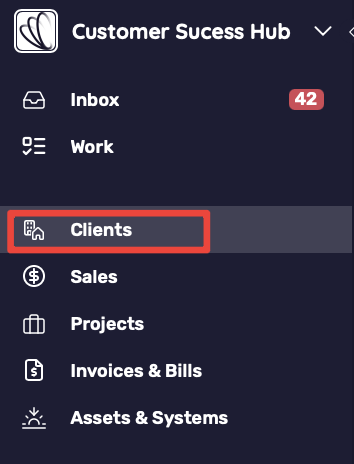
Navigate to Clients from the left-hand menu
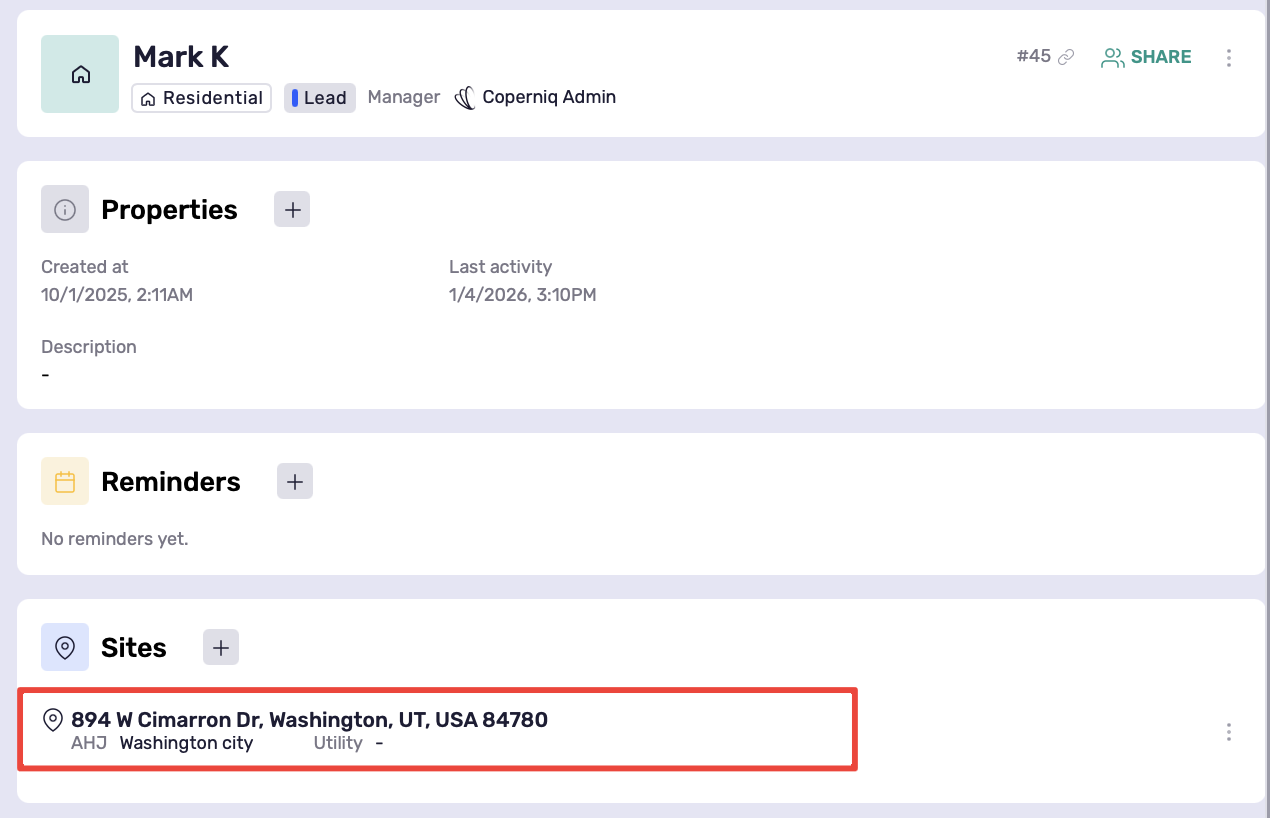
Search for and open the desired client profile
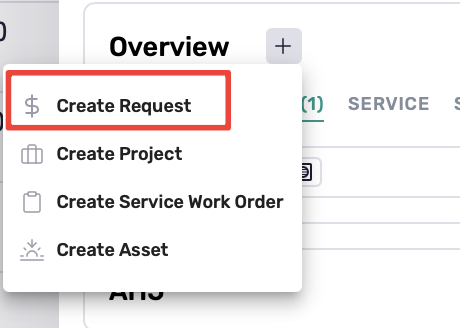
Select the Site you want to add the project to, then click the + button under the Overview section.
From the dropdown, select Create Request
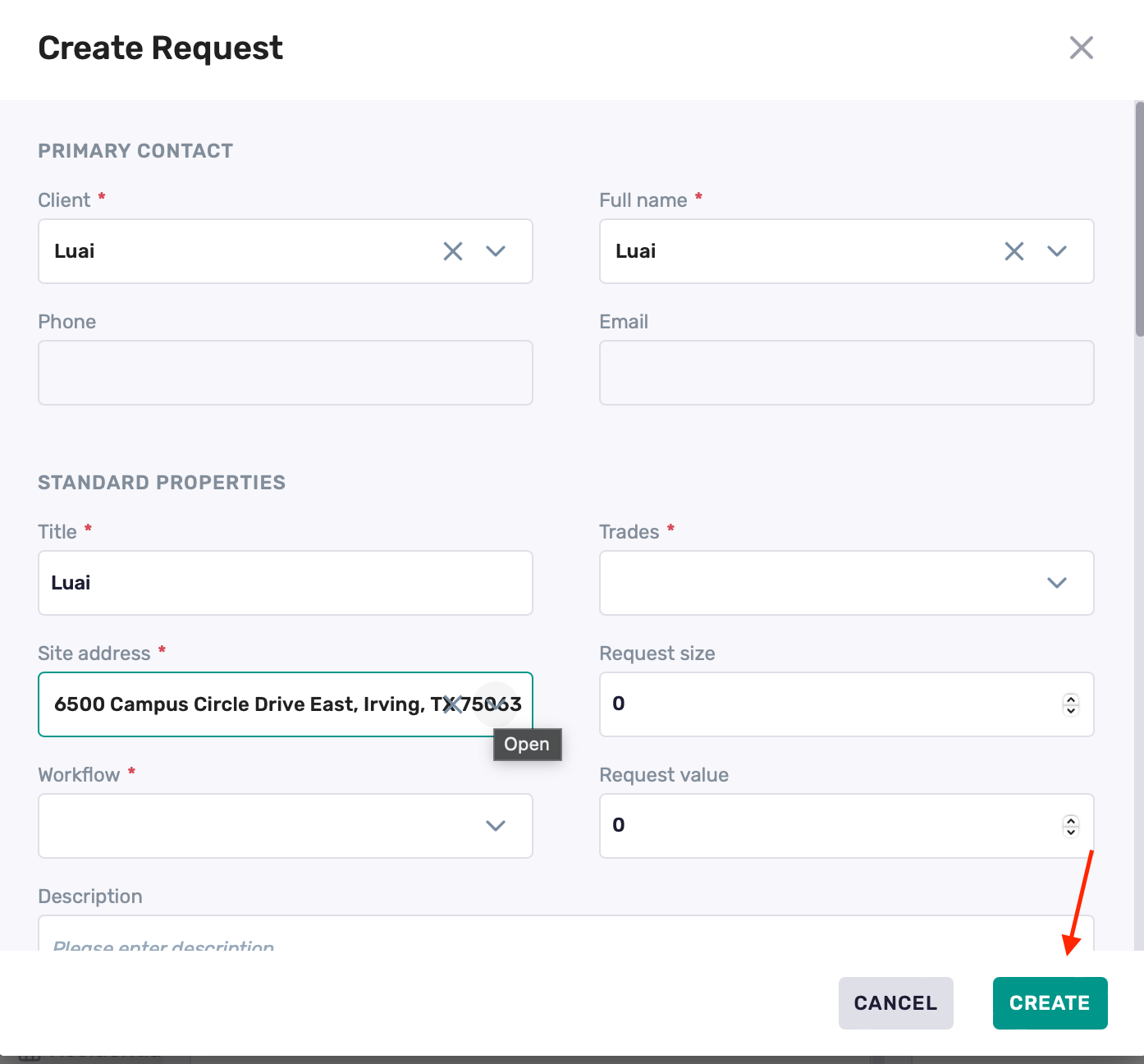
Fill in all required fields
Click Create
Method 2: From the Sales Page
Steps to Create:
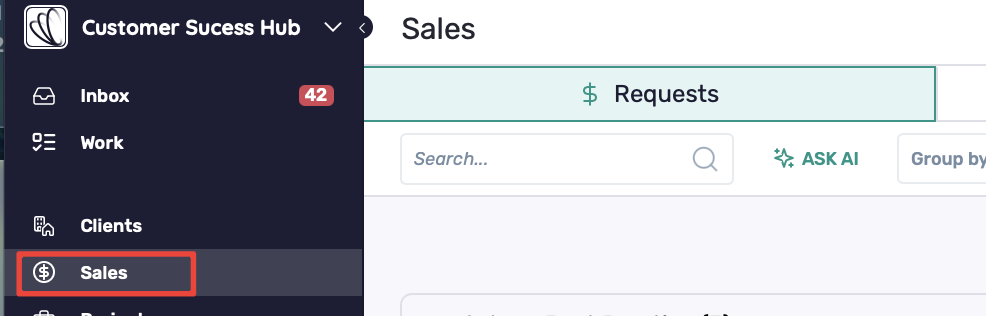
Navigate to the Sales section from the left-hand menu
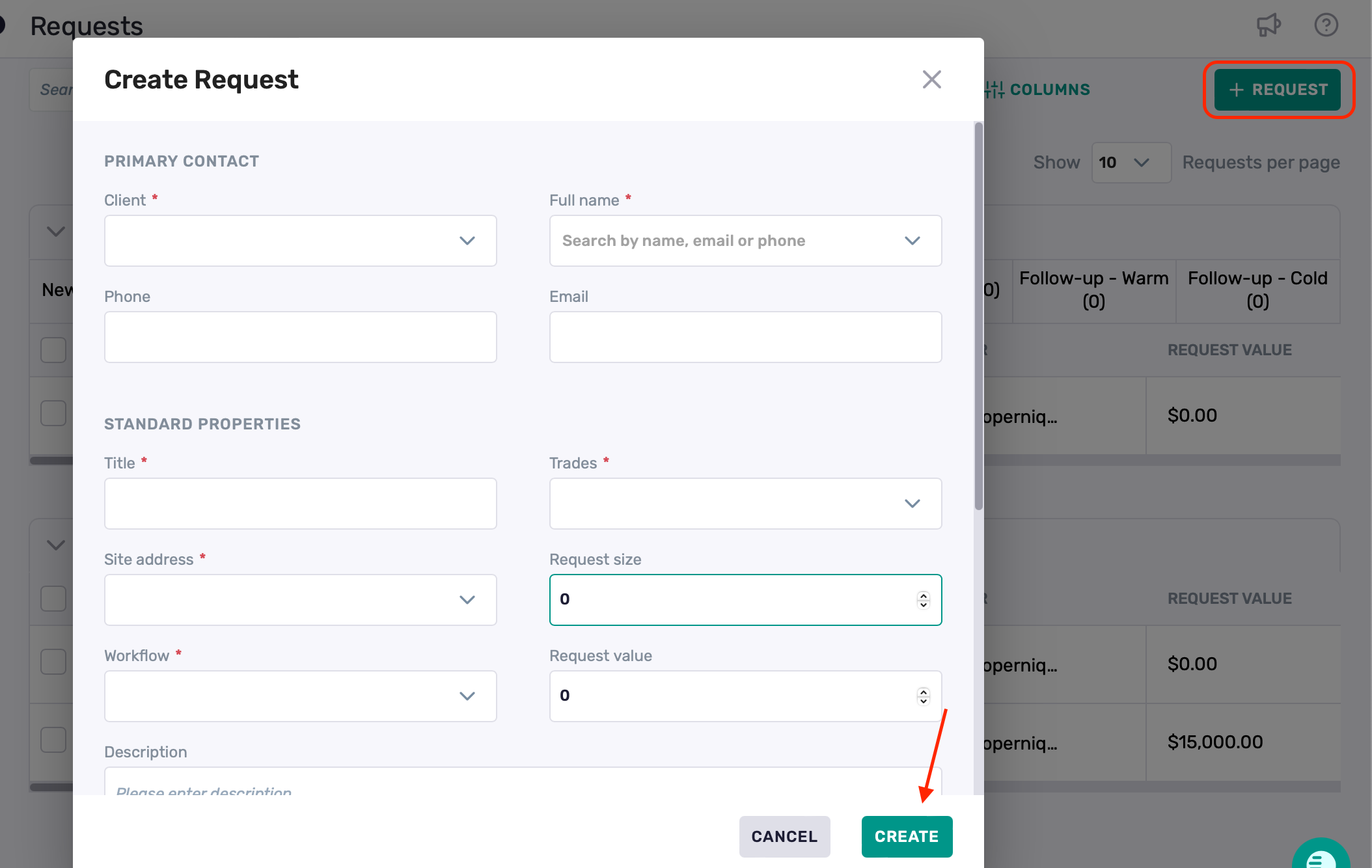
Click + Request in the top-right corner
Complete all required fields
Click Create
Best Practices
Make sure to assign the request to the correct client record to avoid confusion
You can edit or update request details later if any information changes