Using SMS Text with your customers
Last updated: July 24, 2025
With Coperniq you may interact with customers by via SMS texts. To get started, please fill in this form and inform your Customer Success Representative at Coperniq
When you receive a notice from us indicating that you are ready to go, please follow these instructions to generate brand new phone number.
Once the number is generated you may choose who in your company you'd like to give access to this number to, and the distribution level of the messages.
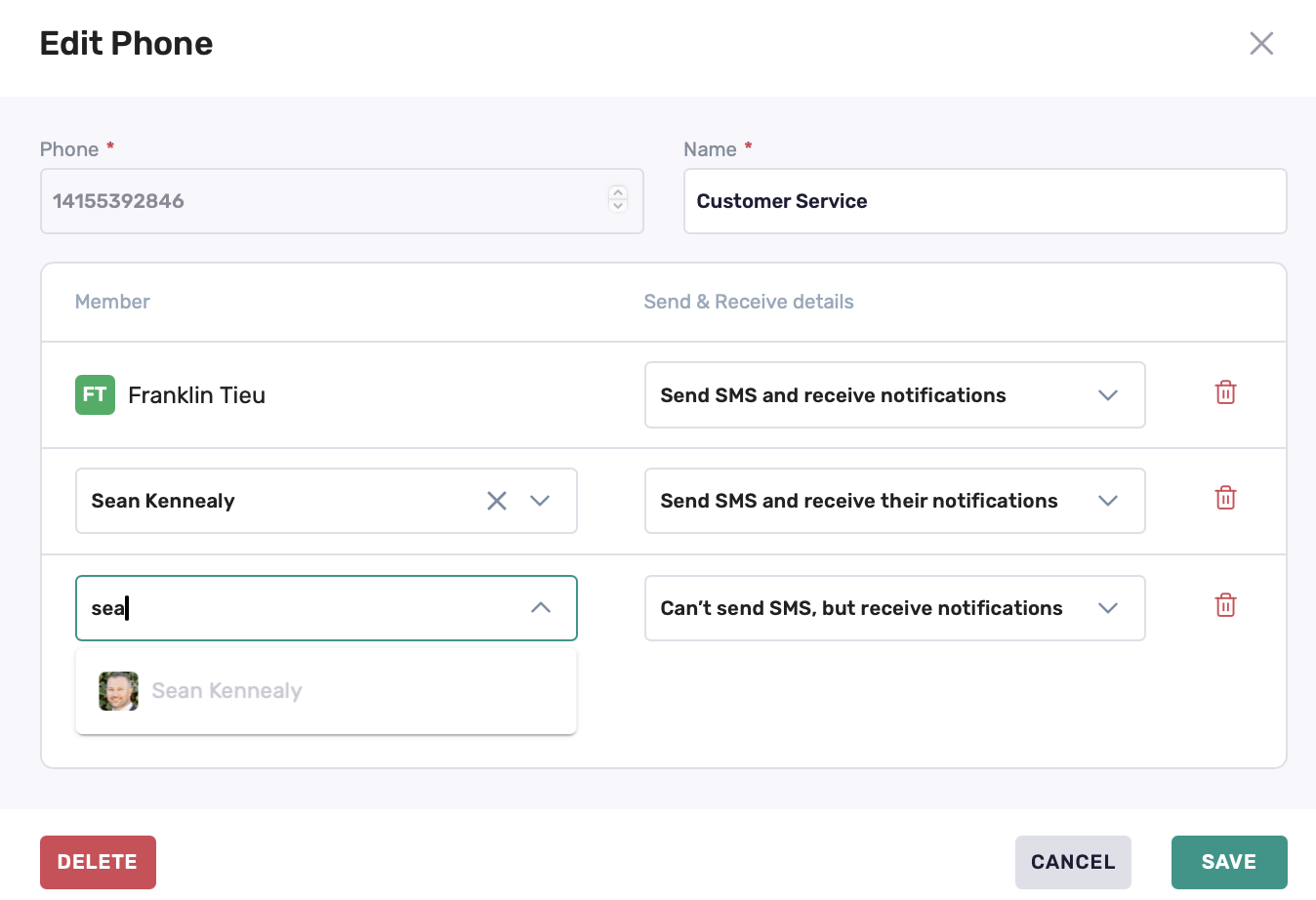
There are 3 settings you could pick for each person you give the phone number privilege to:
Send SMS and receive notifications: You send the message, and you will receive your the reply
Send SMS and receive their notifications: You send the message, and you will receive both their reply AND their reply to someone else's message (that you didn't send)
Can't send SMS, but receive notifications: You cannot send messages but can receive all messages
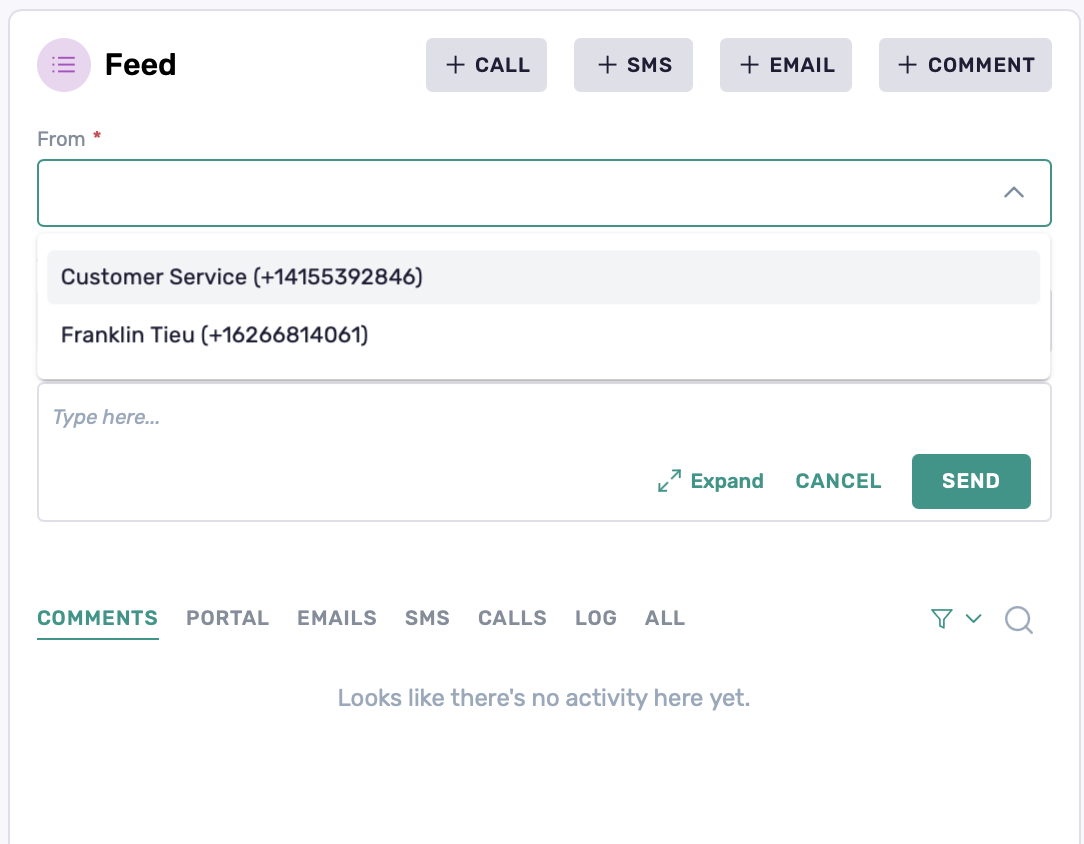
When communicating with a customer, choose [+SMS] the new number will be available to choose in the "From" field. Replies will appear in the SMS tab and your inbox