How do I move a Project back to a previous Phase?
Last updated: May 30, 2025
Context
When managing Projects, you may need to move a Project back to a previous Phase for additional review or work. Projects automatically progress forward when Work Orders in a Phase are completed, but sometimes you need to revisit earlier Phases.
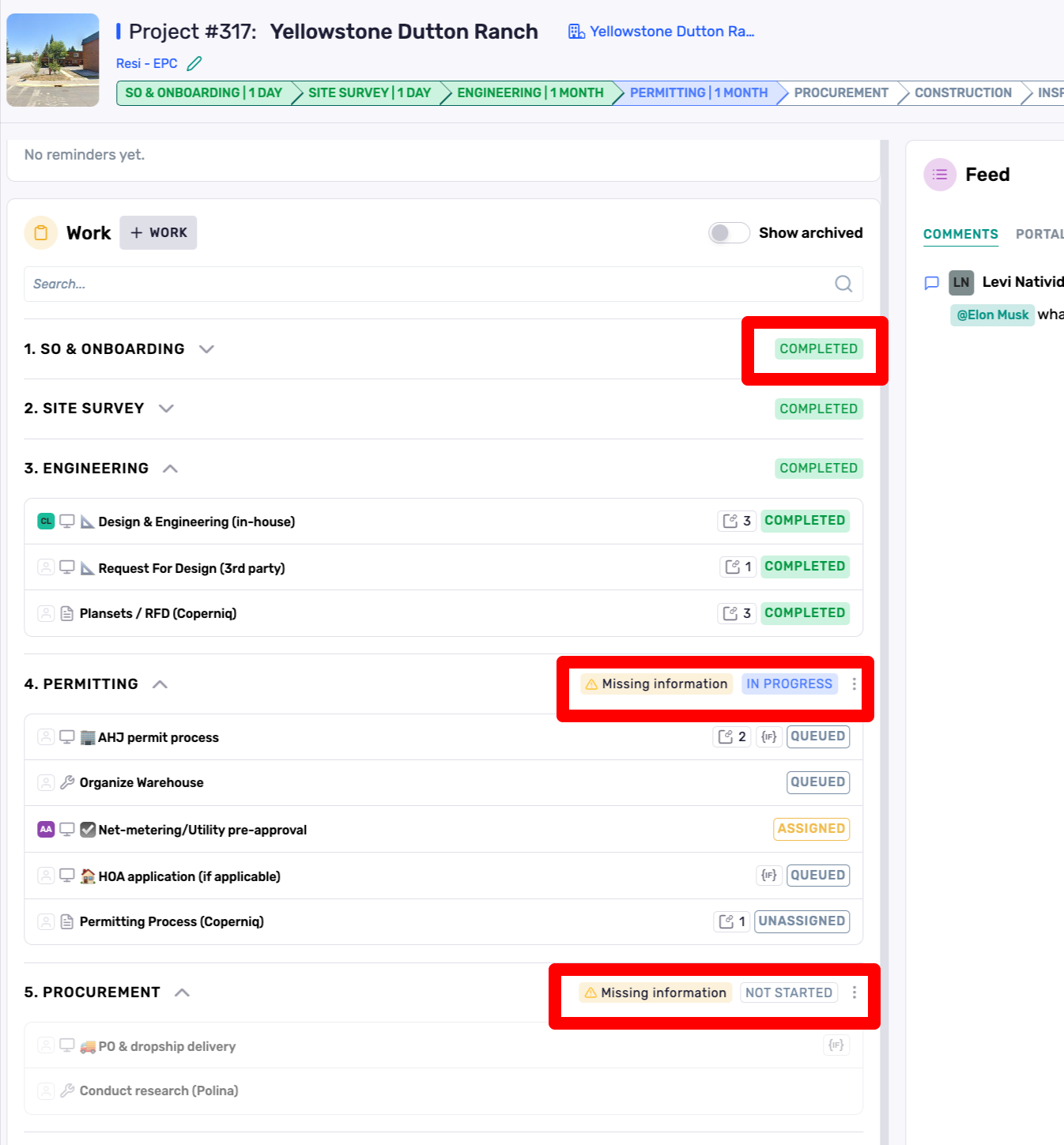
Phases are automatically marked as "In Progress" Status when any Work Orders or Forms in that Phase are opened. They progress to "Completed" Status when all Work Orders and Forms inside of them are either Completed, Cancelled, or Archived.
How to reopen past Phases
To move a Project back to a previously completed Phase, you have two options:
Create a new Work Order in the desired Phase:
Add a new Work Order manually to the stage you want to revisit
This will automatically change the Phase Status from "Completed" to "In Progress"
Note: manually added Work Orders will prevent the Project from progressing past the Phase they are added to until that Work Order is marked as Completed, Cancelled, or Archived
Modify existing Work Order Status:
Change the Status of an existing Work Order in the desired Phase to an in-progress Status (eg "Working," "Review," "Changes Requested")
This will trigger the Phase Status to become "In Progress"
Note: If there are any Automations set up on the Work Order, they will trigger again when the Status changes
The Project progress bar shows the Status of each Phase:
Green: Completed Phase
Blue: In-Progress Phase
Gray: Not Started Phase