How do I reset or change my password?
Last updated: January 4, 2026
If you’ve forgotten your password or need to change it, follow these steps:
Visit https://app.coperniq.io
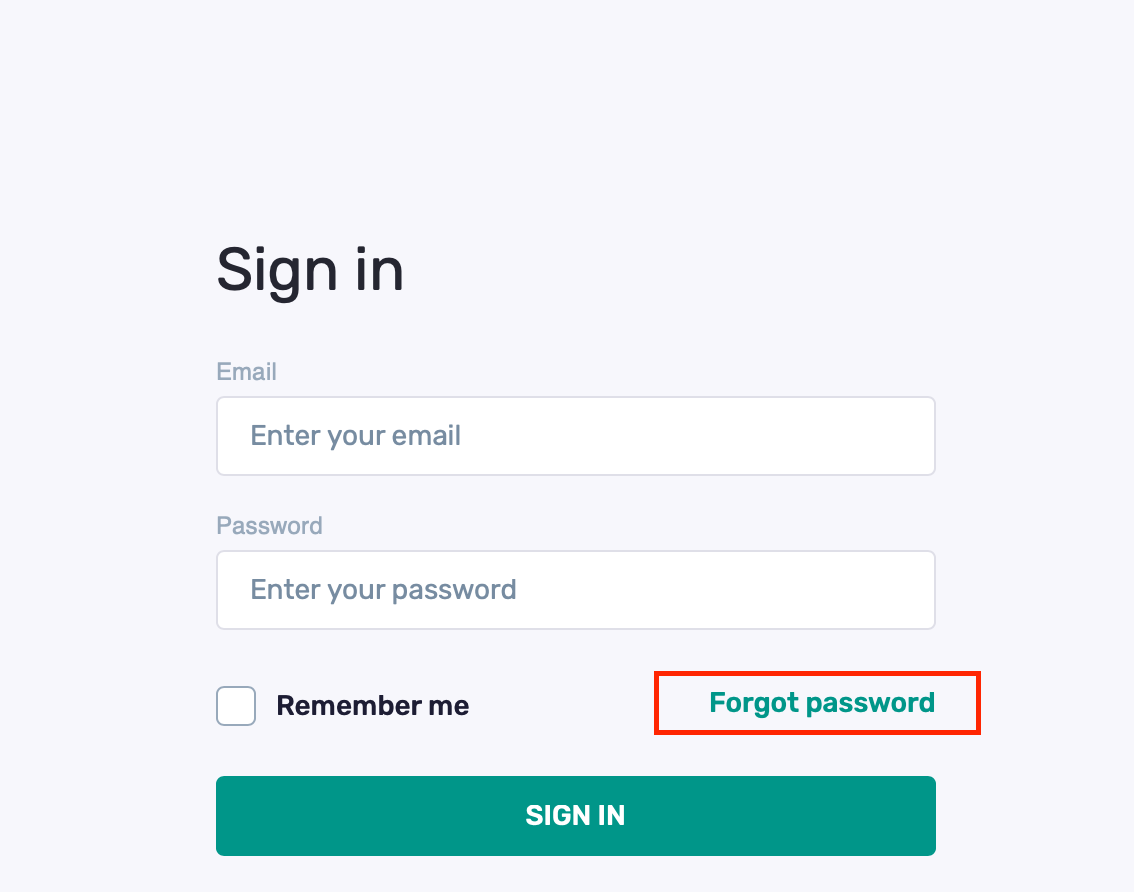
On the login page, click "Forgot Password"
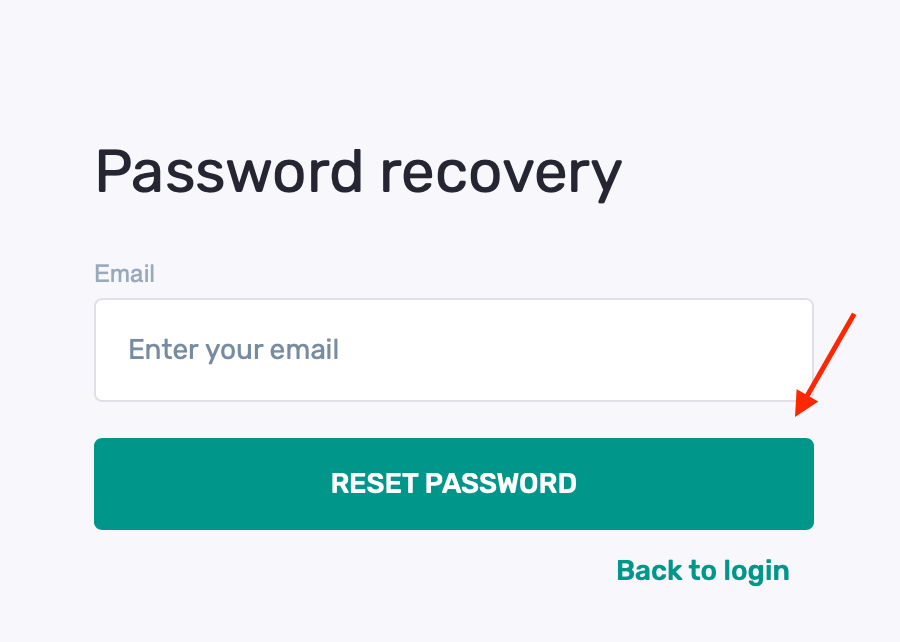
Enter your email address, then click "Reset Password"
You’ll see a confirmation message:
Thanks! You'll get an email with a link to reset your password shortly. The link is valid for 30 minutes.
Check your email inbox for the reset link.
Click the link and follow the instructions to set a new password.
Note: The reset link is time-sensitive and will expire after 30 minutes.