How Telephony billing works starting July 1
Last updated: June 11, 2026
Starting July 1, 2026, Telephony charges will be billed against your company’s monthly budget in Coperniq.
This means Telephony costs are deducted from the same balance used for usage-based billing, rather than being handled separately.
What’s included in Telephony billing
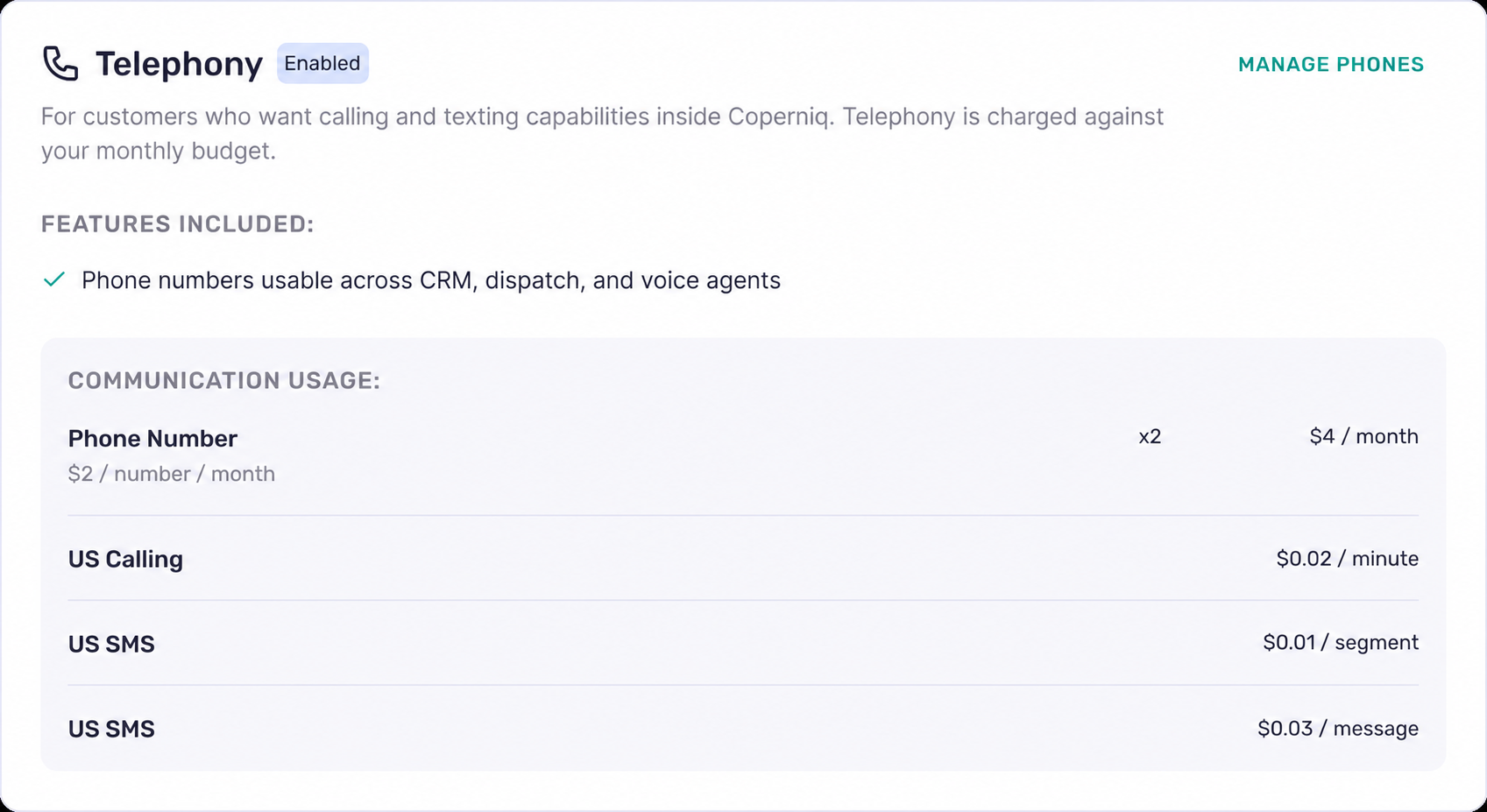
Telephony billing includes both recurring and usage-based charges:
Phone numbers: $2 per number / month
US calling: $0.02 / minute
US SMS: $0.01 / segment
MMS: $0.03 / message
These charges are applied to your monthly budget as they accrue.
Where to view Telephony charges
To review Telephony billing:
Go to Settings
Open Billing
Select Usage
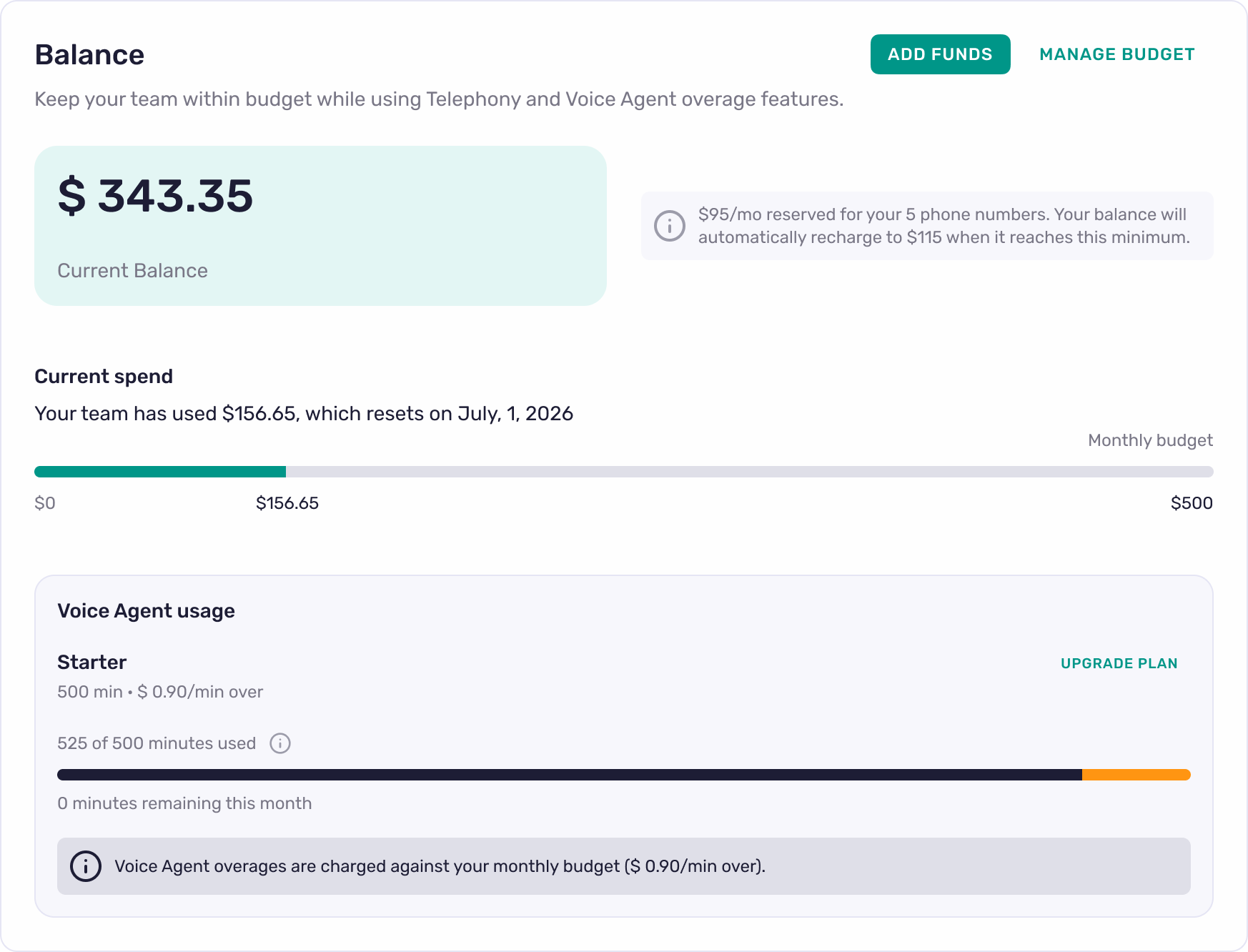
On the Usage page, you can see:
Your current balance
Your current spend
Your monthly budget
Any reserved balance for recurring Telephony charges
Recharge settings, if enabled
How budget and recharge work
Telephony charges reduce your available balance throughout the month.
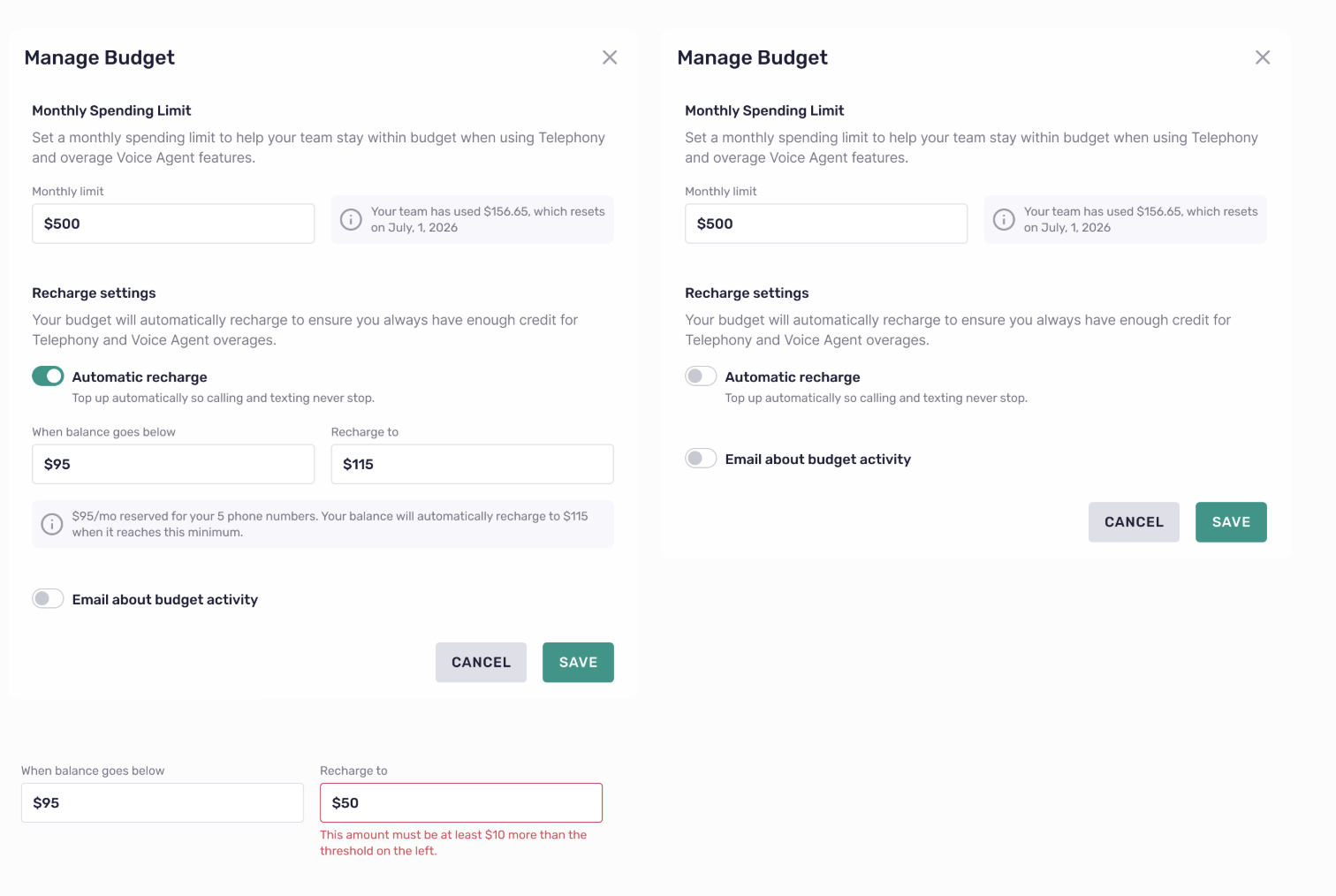
If automatic recharge is enabled, your balance will automatically top up when it drops below your configured threshold. This helps prevent interruptions to calling and texting.
For example, your account may be set to:
Recharge when balance drops below $95
Recharge back up to $115
If automatic recharge is disabled and your balance gets too low, Telephony usage may be interrupted until funds are added.
Telephony pricing
Usage and balance
FAQ
Does Telephony have a separate invoice?
Yes it will be a separate invoice generated the 1st of every month
Where can I see how much has been spent?
Go to Settings → Billing → Usage to see your current balance and spend.
What happens if my balance gets too low?
If automatic recharge is enabled, your balance will refill automatically based on your settings. If it is disabled, Telephony usage may pause until funds are added.
Can I add funds manually?
Yes. You can add funds from Settings → Billing → Usage.
Can I change my recharge settings?
Yes. Use Manage Budget from the Usage page to update your monthly limit and recharge settings.