Mobile App: Schedule
Last updated: November 18, 2026
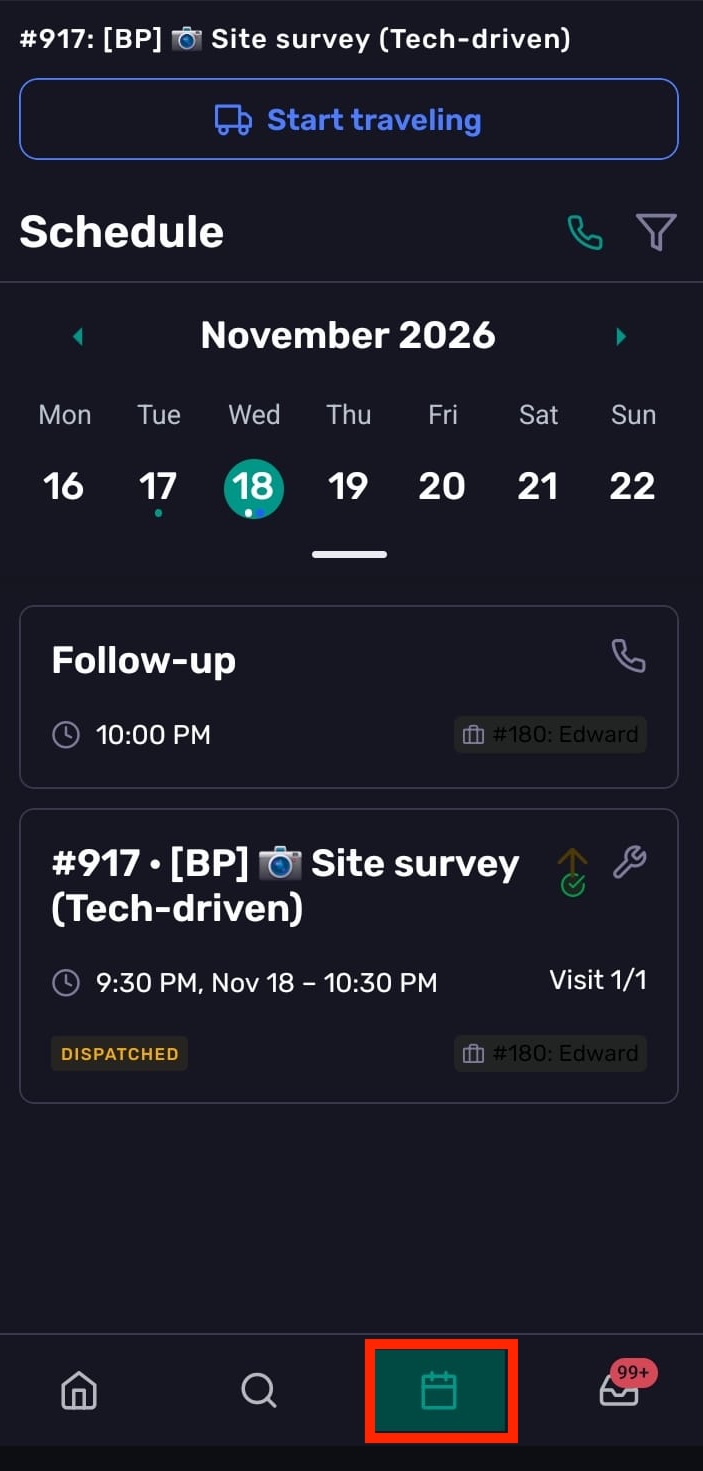
Use the Schedule tab in the Coperniq mobile app to review upcoming work, open scheduled tasks, and filter the day’s schedule.
Open Schedule
Open the Coperniq mobile app.
Tap Schedule in the bottom navigation bar.
Review the scheduled tasks and reminders for the selected day.
Review scheduled work
The Schedule tab shows tasks and reminders in a day view. Use it to check what is coming up and open the scheduled item you need to work on.
To open scheduled work:
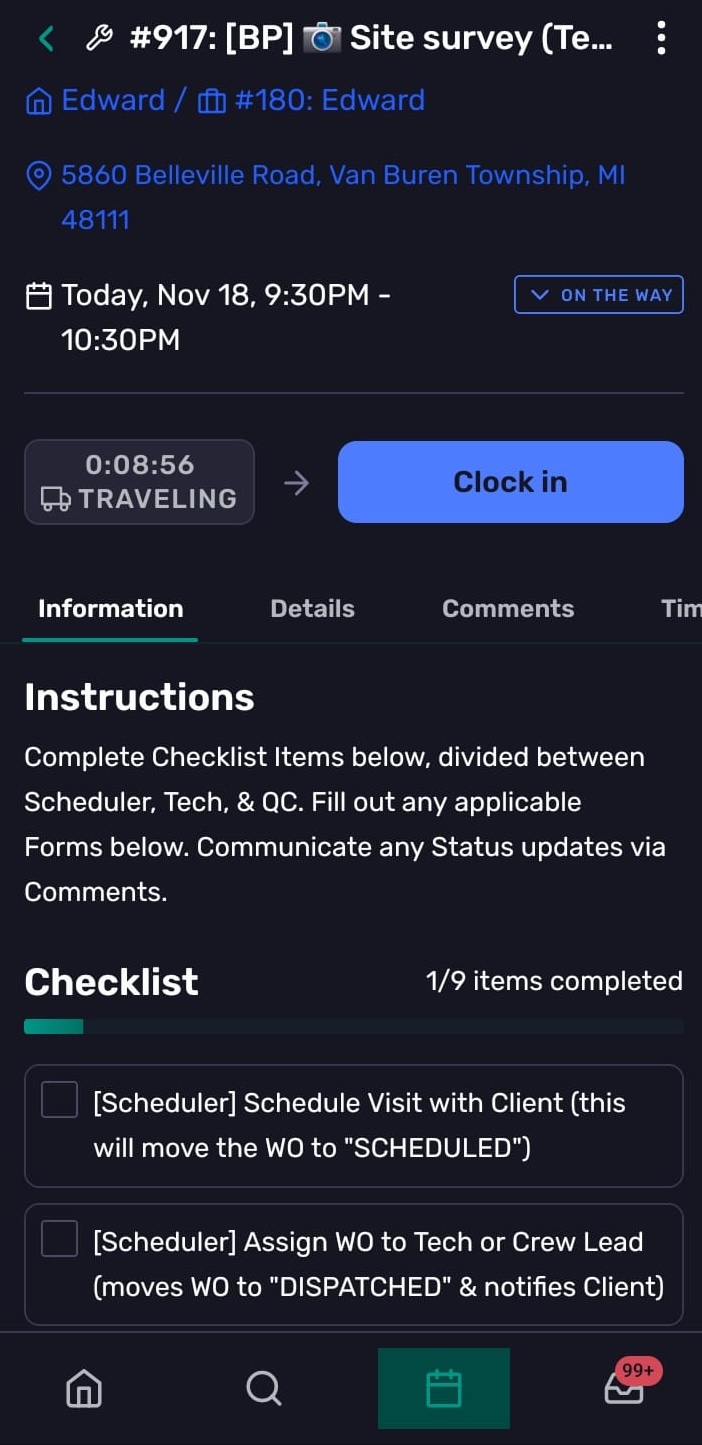
Find the task or reminder in the schedule.
Tap the item.
Review the details, then take the next action from the record or task screen.
Filter the schedule
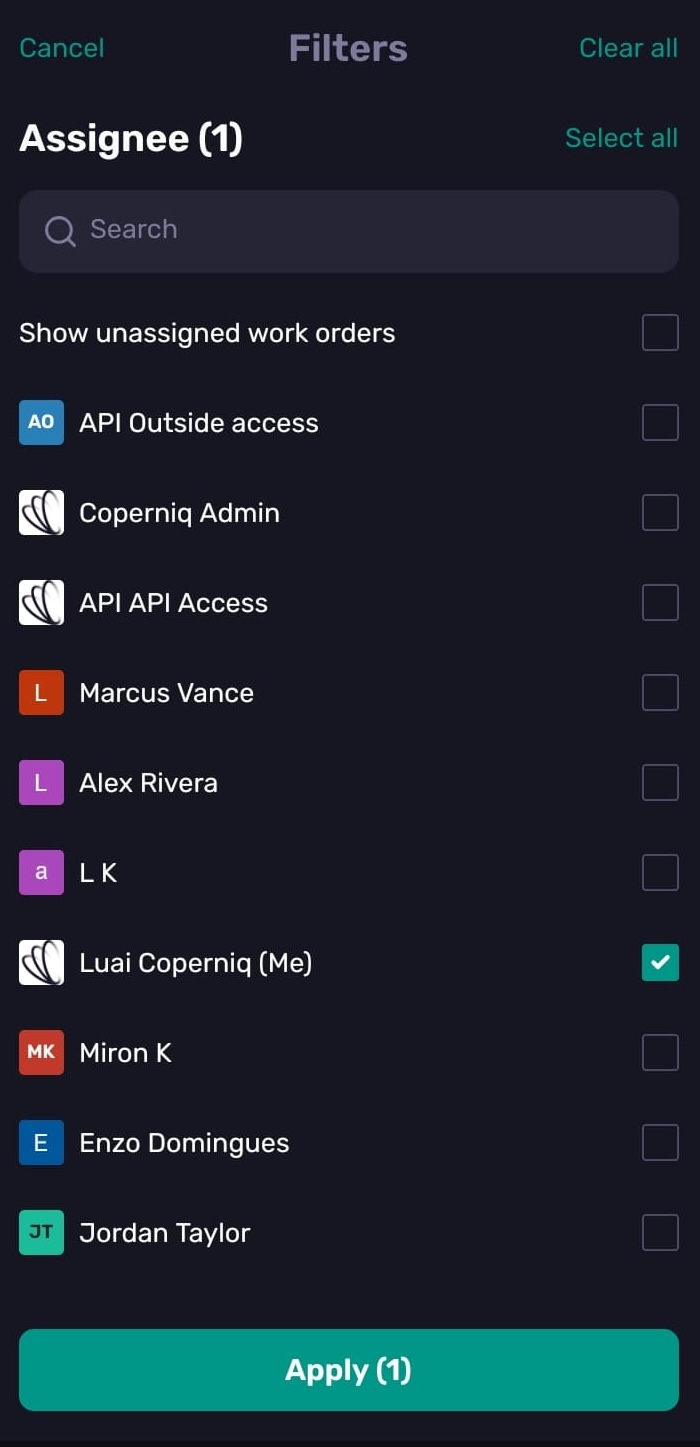
Use filters to narrow the schedule by assignee. This is helpful when you want to see the day’s work for multiple people, such as a crew, team, or set of installers.
Open Schedule.
Tap the Filter icon in the top righ.
Select the assignee or assignees you want to view.
Use search to find a specific person, or use Select all and Clear all to manage the list faster.
Optional: enable Show unassigned work orders to include work orders that do not have an assignee.
Tap Apply.
The Apply button shows how many filters are selected. A dot on the filter icon means the schedule is filtered from the default “only me” view.
Troubleshooting
I do not see a scheduled item
Check the selected date and filters. The schedule only shows items for the day you are viewing and for the assignees selected in the filter.
If you still can’t see the item, you may not have access to it—ask your admin to check your permissions.
I only see my own schedule
By default, Schedule shows work assigned to you. Tap the Filter icon and select additional assignees to view work for more people.
I need to change an item’s schedule.
Open the item, go to the Details tab, and update its schedule. The changes available depend on your permissions.
When to use Schedule instead of Search
Use Schedule when you want to review planned work by day or assignee.
Use Search when you already know the customer, project, opportunity, work order, or record you want to find.