How do I configure the Customer Portal?
Last updated: November 12, 2026
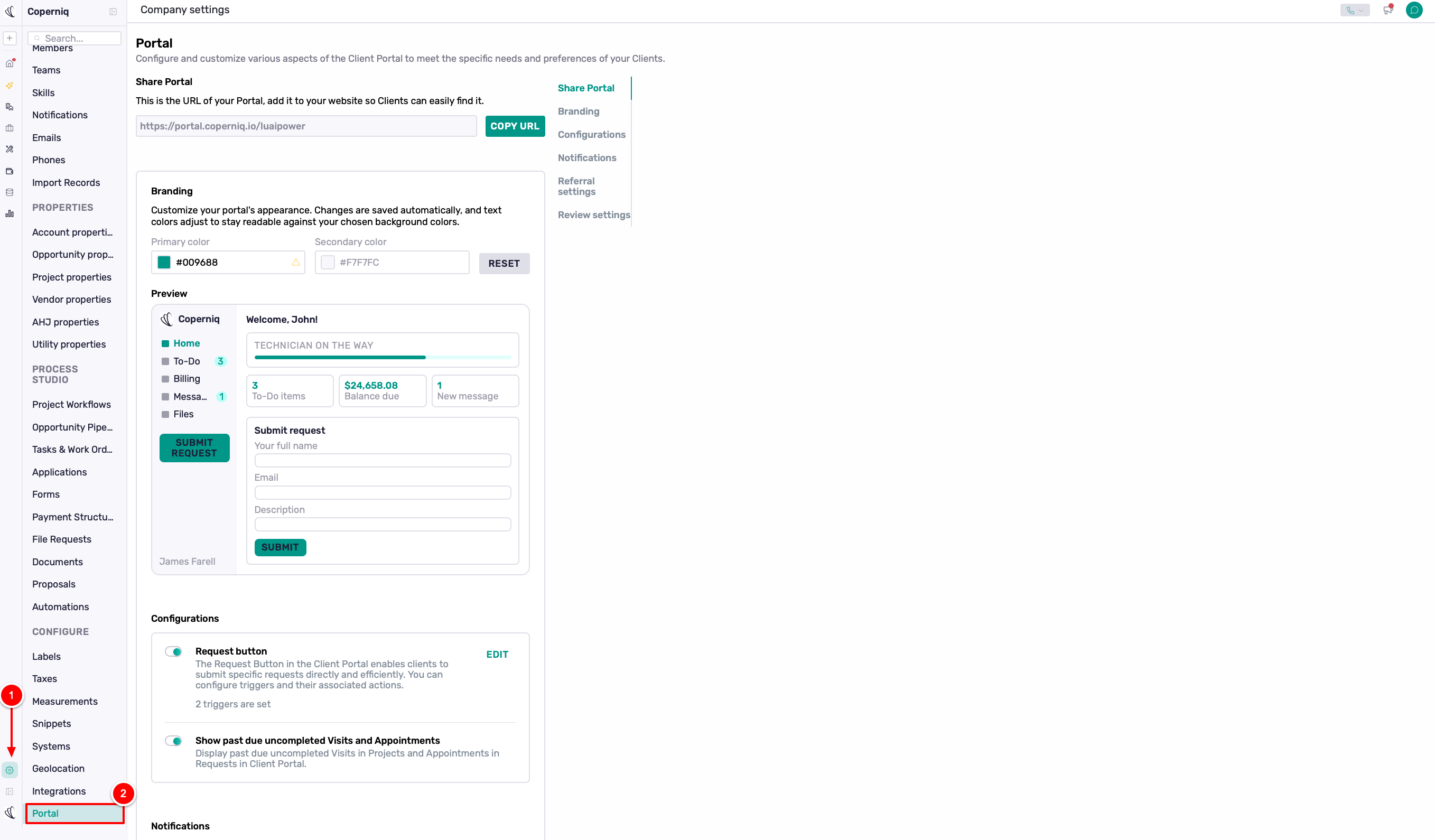
You can customize your Customer Portal's appearance, features, and notifications from Company Settings → Portal.
Here's what you can manage:
Share Portal: Copy and share your portal URL.
Branding: Customize your portal's colors.
Configuration: Enable or disable available portal features.
Notifications: Manage and customize customer notifications.
Referral & Review Settings: Control referral and review options.