How to Add Properties in the Importer
Last updated: October 6, 2026
You can create new properties directly while mapping your CSV fields.
Add a Property
Go to Settings → Import Records and upload your CSV file.
On Map Fields, open the Coperniq field dropdown for the column you want to map.
If the property isn’t listed, click + Property at the bottom of the dropdown.
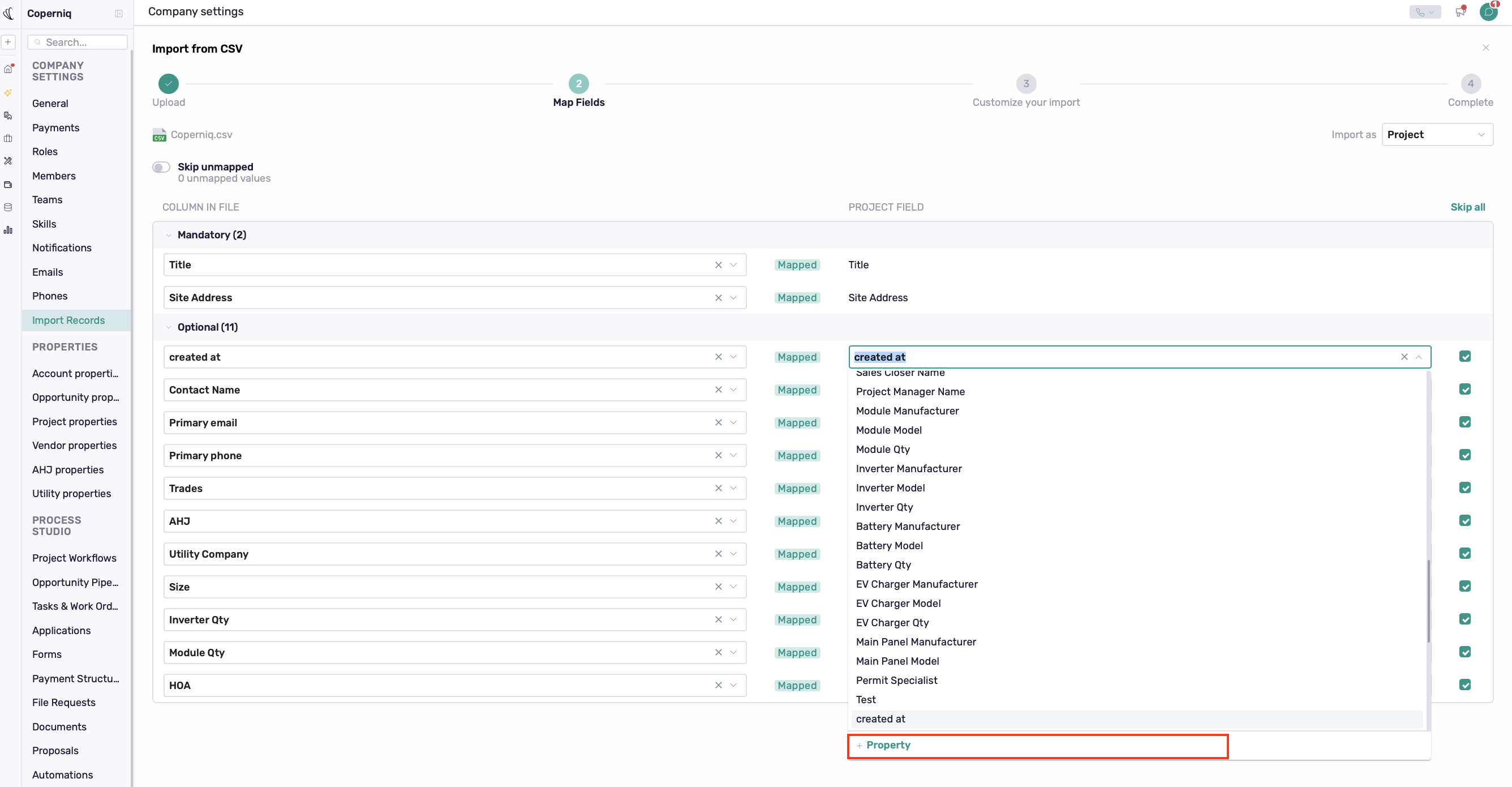
Create the property, then select it to map your CSV column.
Review your mappings, then click Continue to proceed with the import.