How to Archive and Restore Records
Last updated: October 7, 2026
Estimated reading time: 2 minutes
Overview
Archiving helps keep your workspace organized without deleting records you may need later. You can archive Accounts, Opportunities, and Projects one at a time or in bulk, and restore them whenever they become active again.
Archive a Record
From the List View
To archive one or more records:
Open the Accounts, Opportunities, or Projects list.
Use the checkboxes to select the records you want to archive.
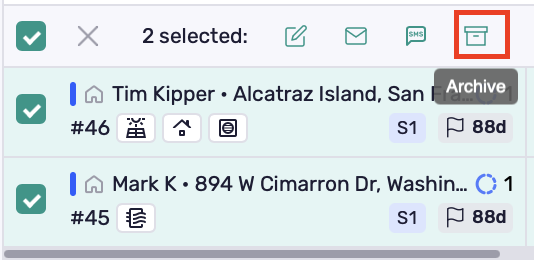
Click the Archive icon in the action toolbar.
From Inside a Record
To archive a single record:
Open the record.
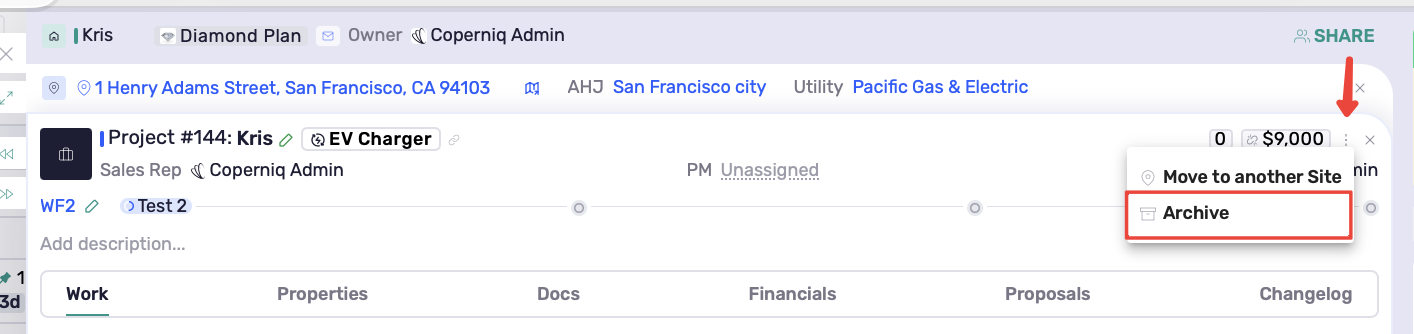
Click the three-dot menu (⋮) in the top-right corner.
Select Archive
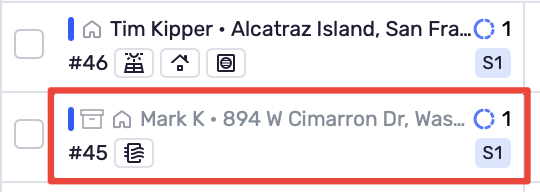
Archived records are hidden from lists when Show archived is off. When that option is on, they appear faded or grayed out.
View Archived Records
Before restoring a record, make archived records visible:
Open the relevant Accounts, Opportunities, or Projects page.
Turn on Show archived.
Locate the archived record you want to restore.
Restore a Record
From the List View
To restore one or more archived records:
Open the Accounts, Opportunities, or Projects page.
Turn on Show archived.

Select the archived records you want to restore using the checkboxes.
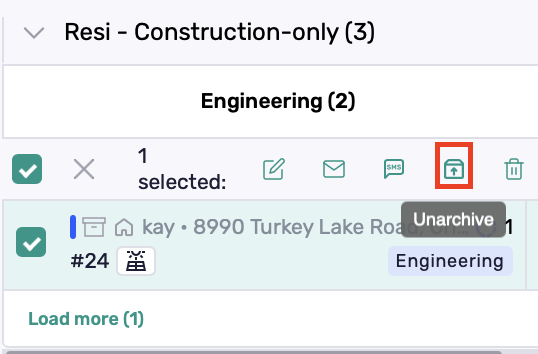
Click Unarchive in the action toolbar.
The records return to the active list and no longer appear faded.
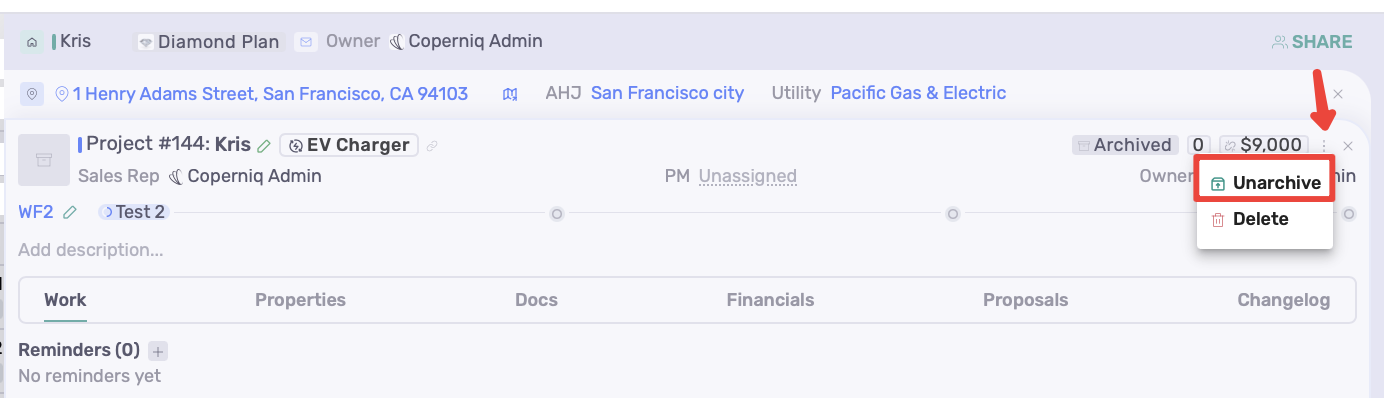
From Inside a Record
To restore a single record:
Turn on Show archived in the relevant list.
Open the archived record.
Click the three-dot menu (⋮) in the top-right corner.
Select Unarchive.
Best practices
Archive records you may need to revisit instead of deleting them.
Select multiple records to archive or restore them in one action.
Turn off Show archived when you want to focus on active records.
If Archive or Unarchive is unavailable, ask your administrator to check your role’s permissions.