How do I customize the email and SMS notifications sent to customers?
Last updated: November 12, 2026
You can manage which email and SMS notifications your customers receive, customize their content, and adjust reminder settings.
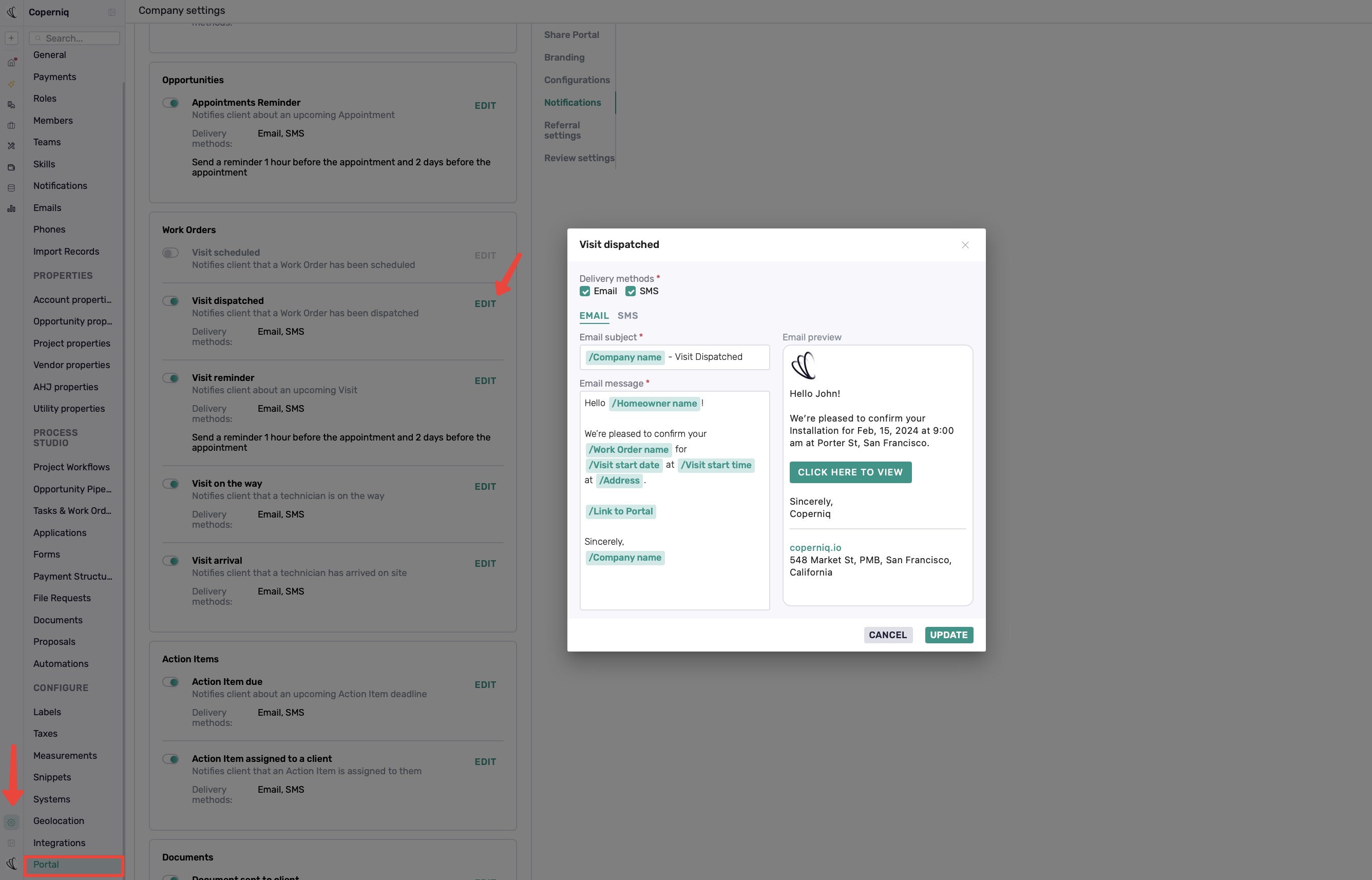
To manage customer notifications:
Go to Company Settings → Portal → Notifications.
Find the notification you want to update.
Use the toggle to enable or disable it, or click Edit to customize it.
Update the message, delivery method (Email or SMS), or reminder timing, where available.
Click Update to save your changes.
Note: Available options vary by notification type. Changes apply to customer notifications across your company.