Slack Notifications for Mentions
Last updated: March 13, 2026
Estimated Reading Time: 1–2 minutes
Overview
Coperniq supports Slack notifications for mentions, allowing you to receive a direct message in Slack whenever someone mentions you anywhere in the platform. This helps you stay on top of updates without needing to constantly monitor Coperniq throughout the day.
Follow the steps below to connect Slack and enable mention notifications.
Step 1: Connect Slack
Click your Company Name in the top-left corner.
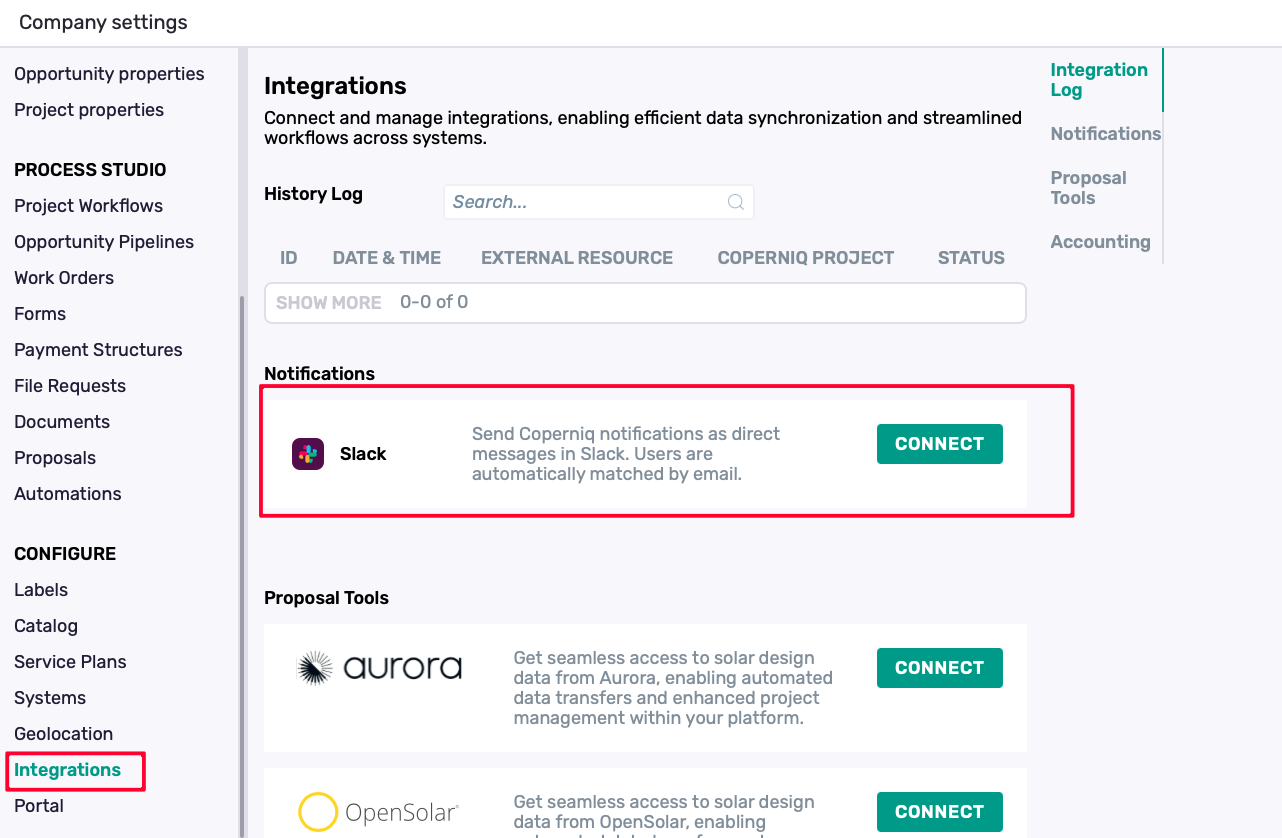
Select Integrations.
Locate Slack and connect your workspace.
Once connected, Coperniq can send notifications directly to your Slack account.
Step 2: Enable Slack Notifications for Mentions
Click your Company Name in the top-left corner.
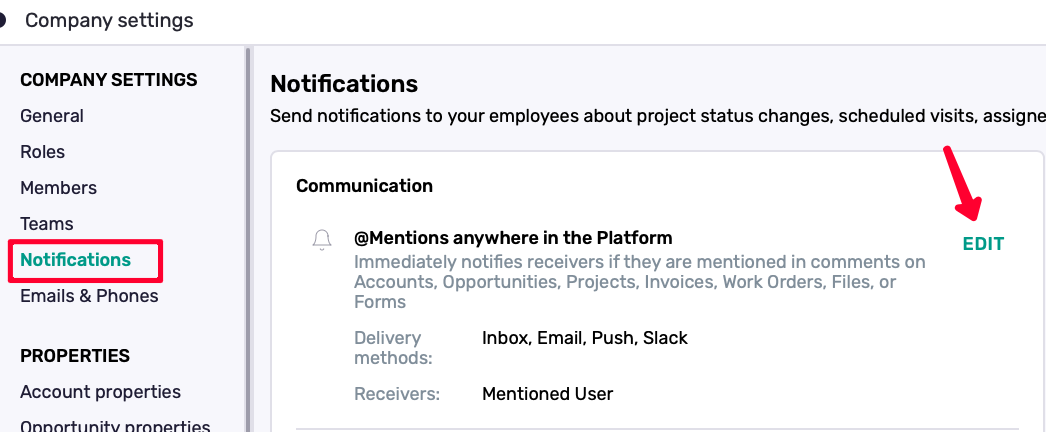
Select Notifications from the left menu.
Find @Mentions anywhere in the Platform.
Click Edit.
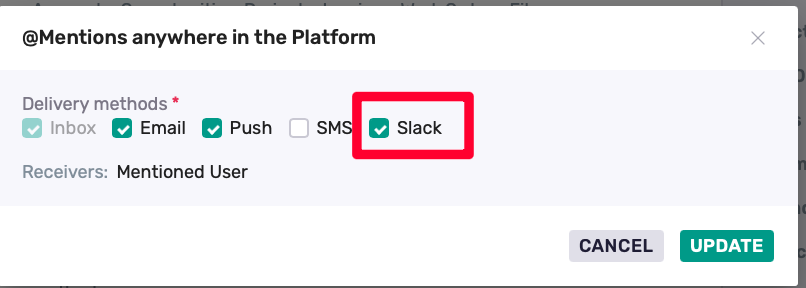
Check the Slack box.
Save your changes.
What Happens Next
Once this is enabled, the next time someone @mentions you anywhere in Coperniq, you’ll receive a Slack direct message automatically.
For example, if someone tags you in a comment on a project, work order, or another record, Coperniq will notify you in Slack right away.
Manage the Slack Integration
You can manage the Slack integration at any time from Company Name → Integrations.
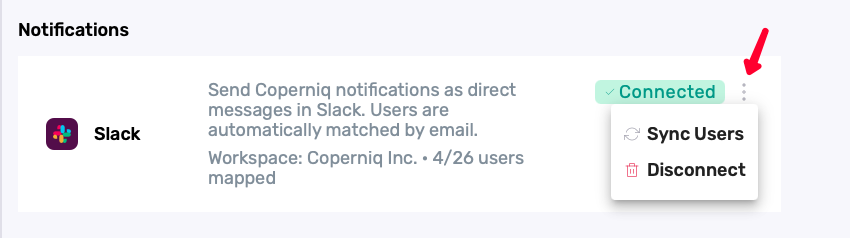
On the Slack integration, click the three vertical dots (⋮) to access additional options:
Sync Users — Refreshes the connection between Coperniq users and Slack users. This can be helpful if new users were added after Slack was first connected.
Disconnect Slack — Removes the Slack integration from your Coperniq account.
Best Practices
Review your Notifications settings to confirm Slack is enabled for @Mentions anywhere in the Platform.
Test the setup by asking a teammate to @mention you in a comment after enabling the integration.